

-
The problem of bureaucratic language: Moving official government forms into a mobile interface without adapting the text causes confusion and data entry errors.
-
Demand for proactivity: Users do not want to check for fines themselves; they expect the bank to find the debt and offer a one-click payment option.
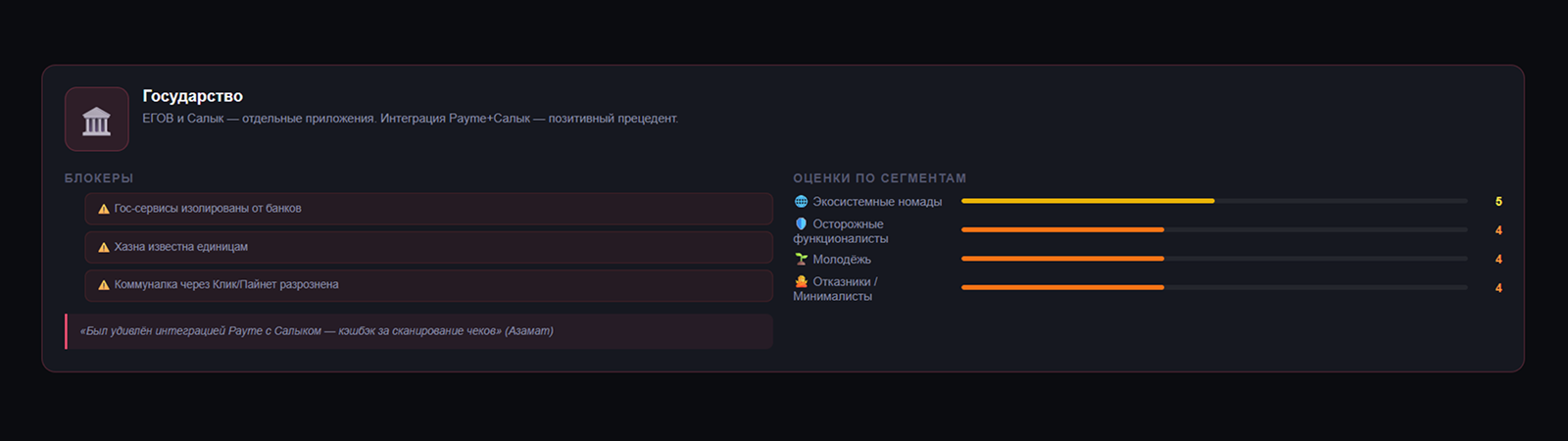
Uzbekistan is actively developing the concept of a digital state (My.gov.uz), and integrating these services into banking ecosystems has become a natural evolutionary step. For many citizens, the banking app is the only convenient interface for interacting with the state. Paying taxes, registering a business, checking credit history, and paying for kindergartens are all gradually migrating into superapps.
Brief Conclusion
Government services in banks enjoy the highest level of trust, but interface friction remains critical. Transferring complex bureaucratic procedures to a smartphone requires translating official language into human terms (UX copywriting) and maximizing data entry automation to free the client from needing to keep a passport or taxpayer identification number (TIN) handy.
Key Barriers: Complex Language and Opaque Statuses
Barrier 1: Bureaucratic UX and Fear of Mistakes
Most forms for paying taxes or obtaining certificates use complex abbreviations and multi-level classifiers. A user trying to pay property tax faces dozens of incomprehensible fields (region codes, payment types), leading to a fear of sending money to the “wrong place” or the wrong tax office. Any mistake in government services is perceived much more painfully than an error when buying from an online store.
Product insight: The bank must act as a “translator” between the client and the state. Forms should be 90% pre-filled from the client’s profile (pulling in TIN, PINFL, registration addresses). Instead of a field for “Police Department Code,” the interface should simply ask, “Which district do you live in?” and then map the answer to the required system code. Every complex field should be accompanied by a visual cue (for example, a picture of a vehicle registration certificate with a red oval highlighting the number to be entered).
Barrier 2: Lack of Status Tracking (Black Box)
When a client applies for an allowance or registers as an individual entrepreneur via a superapp, the application often goes “nowhere.” The app only displays the status “Accepted for processing,” without indicating deadlines or specific stages. This makes users nervous and prompts them to call the bank’s call center, overloading support with questions the bank cannot answer while waiting for a response from government agencies.
Product insight: A transparent status tracker in the style of a pizza delivery app is needed: “Application sent,” “Under review at the tax office,” “Approved. Document is being generated.” Even if the process takes several days, detailed visualization of the progress bar reduces client anxiety to zero and creates a feeling of complete control over the situation.
Behavioral Models: Responsible Citizens and Accidental Debtors
-
Responsible archivists: Carefully monitor the payment of all taxes and fees. It is important for them to be able to download official receipts with a blue stamp (digital signature) to present to government agencies in paper form. They actively use the “Document Folder” feature, storing digital copies of passports and driver’s licenses for the whole family within the bank app.
-
Accidental debtors: Forget about taxes or traffic camera fines until they are blocked from traveling abroad or money is forcibly debited from their card. A preventive push service is critical for them: “You have a new camera fine at the Amir Temur intersection. Pay today with a 50% discount.” Having such an instant payment button is their favorite feature.
How It Looks in Practice
A young father registers his child for kindergarten. Everything works out from the banking app: data is pulled from the profile, the fee is paid in two taps, and the receipt is saved in “Documents.” The ending ruins the impression: after sending, the application hangs in the “Accepted for processing” status for a week, and every two days he opens the app to look at the same message.
His neighbor is a typical “accidental debtor”: he learned about a camera fine from a bank push notification and paid it with a 50% discount without leaving his car. Now this is his main argument in favor of the superapp: “the bank monitors fines for me.” Proactivity works stronger here than cashback—the user stays not for bonuses, but for being relieved of the obligation to remember.
Why It Matters
Government services increase switching costs. If a user has once linked their car, apartment, and TIN data in a superapp and pays all taxes in a couple of taps, the probability that they will switch to another bank for a slightly better cashback approaches zero. This is a powerful retention tool (lock-in effect).
FAQ
Is it safe to store passport and car data in a banking app?
This is the main question from new users. Banks need to broadcast the reliability of data encryption at the interface level and use biometrics when entering the government services section.
Why don’t some fines appear in the app immediately?
The problem lies with the synchronization speed of government agency databases (API). It is important for banks to honestly write in the interface: “Data updated 2 hours ago” to manage expectations.
Why pay for government services through a bank if there is a government portal?
The bank wins with the combination of “found out — paid — saved the receipt” in one window and data that is already in the profile. The government portal remains the source of services, but the payment and notification layer is more convenient at banks.
Original research source: How Uzbekistanis use government services in banking ecosystems